 COME
COMECOME Transactions and Game History serve different questions
Transactions and Game History are separate menu entries; use the one related to the record you need.
Work through this situation
A question about a payment record is different from identifying a past game activity. Keep the relevant date and reference with the question without treating either menu label as a promise of a particular outcome.
What to check and why
Name the type of record you are looking for before opening the menu. A payment-related question needs the relevant transaction context, while a question about a game you played needs its activity history. The entries are shown separately because one label cannot explain every event connected to the account.
Keep the date, status and legitimate reference attached to the record. Do not convert a history entry into a claim about payment timing or a future game result. If the displayed state is unclear, use the corresponding help category and describe what you observed. Repeating a payment or starting another activity is not a sound way to diagnose an unexplained record.
Recognise the relevant screen
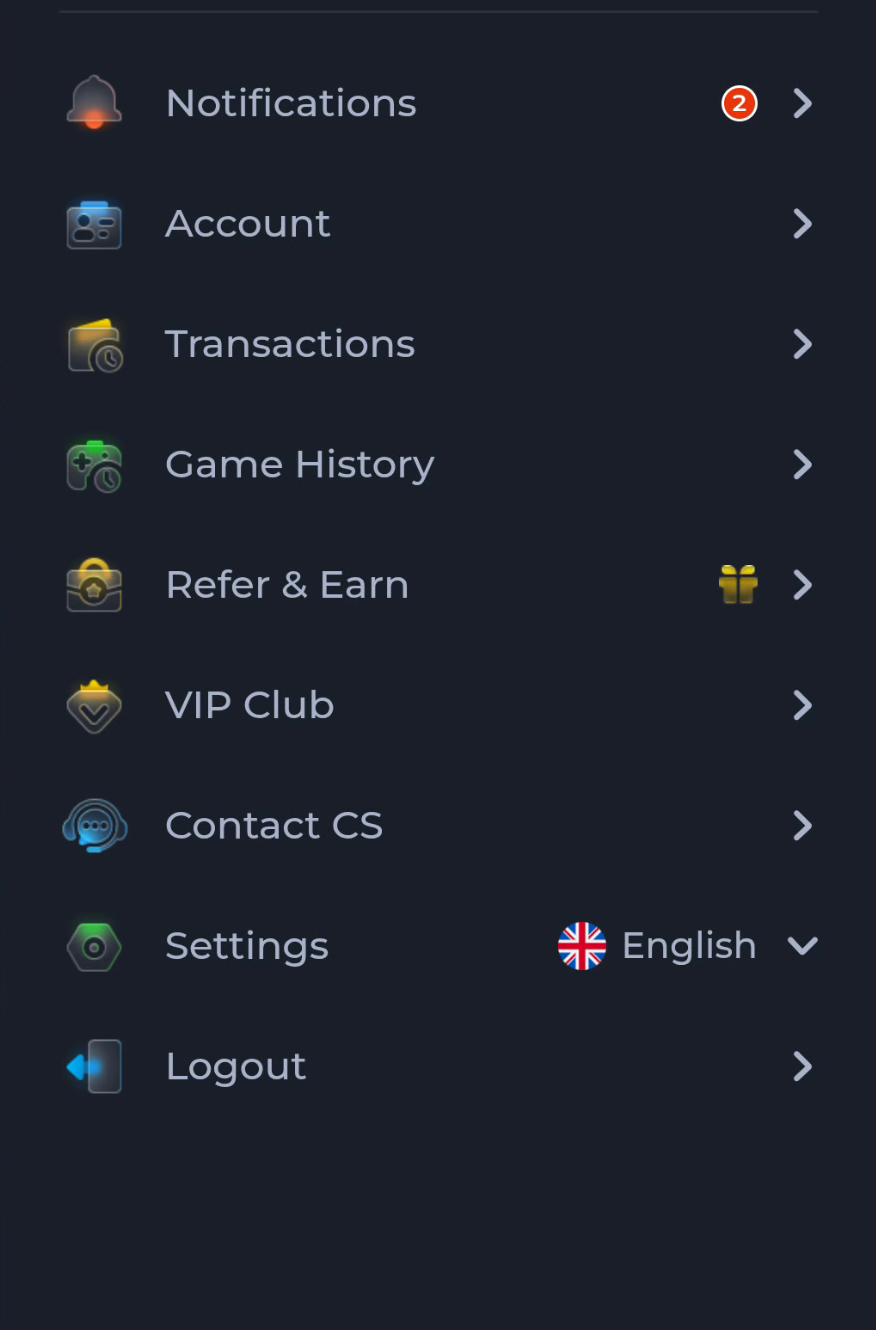
Match help to the task
The account menu and Customer Center provide different routes for preferences, records and assistance. A help-category answer explains a topic, while an account-specific issue needs the relevant service context. Read the visible wording on your own screen because layouts can change. This website provides explanations and navigation; it cannot complete an account action or alter a service record.
What a completed answer looks like
The activity type and the record you are examining match.
If the screen still does not answer the question, keep the exact wording and use the matching in-app help context.
Choose another specific COME guide